You're one step away from playing multiplayer with Luanti App. Follow these steps to get started (click each step for more details):
Installation is generally very simple and doesn't require complex procedures. Here's a short step-by-step guide on how to install Luanti App on your computer:
luanti.exe;sudo apt updatesudo apt install minetest
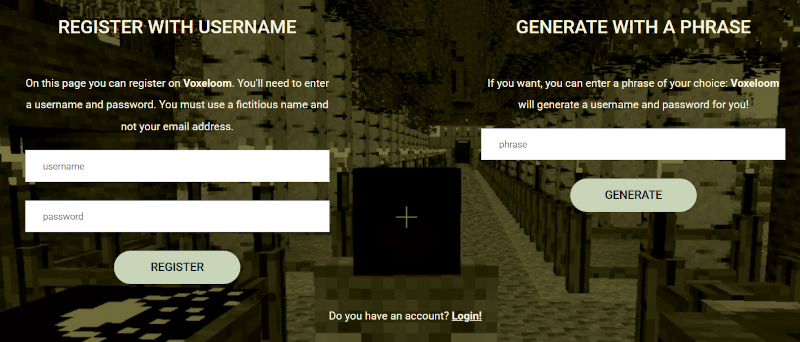
(Depending on your distribution, the command may vary);Registering on this website is a crucial step for accessing advanced and personalized features, improving your user experience. Registration creates a unique digital identity for you within the platform. This identity is not tied to your first or last name, but to an anonymous account. It allows you to pick up right where you left off, on any device. This is possible because your progress information is linked to your account and not to a single computer. Finally, registration is often required to access exclusive features intended only for registered users. This includes the assignment to you of a personal world. Click here to register.

In Luanti, the concept of a "world" is fundamental. Each world is a unique,
persistent game environment that contains all the data related to a specific
game session. You can't simply launch the game and start playing "generally";
you must first create a space where your actions (such as digging, building,
and exploring) can be saved and played later.
Creating a world is extremely simple on Voxeloom: it is designed to get you
playing as quickly as possible on a multiplayer enviroment. Just click here
and choose an empty slot (FREE / RESERVE label over it), put your world's name
and select the game. That is!
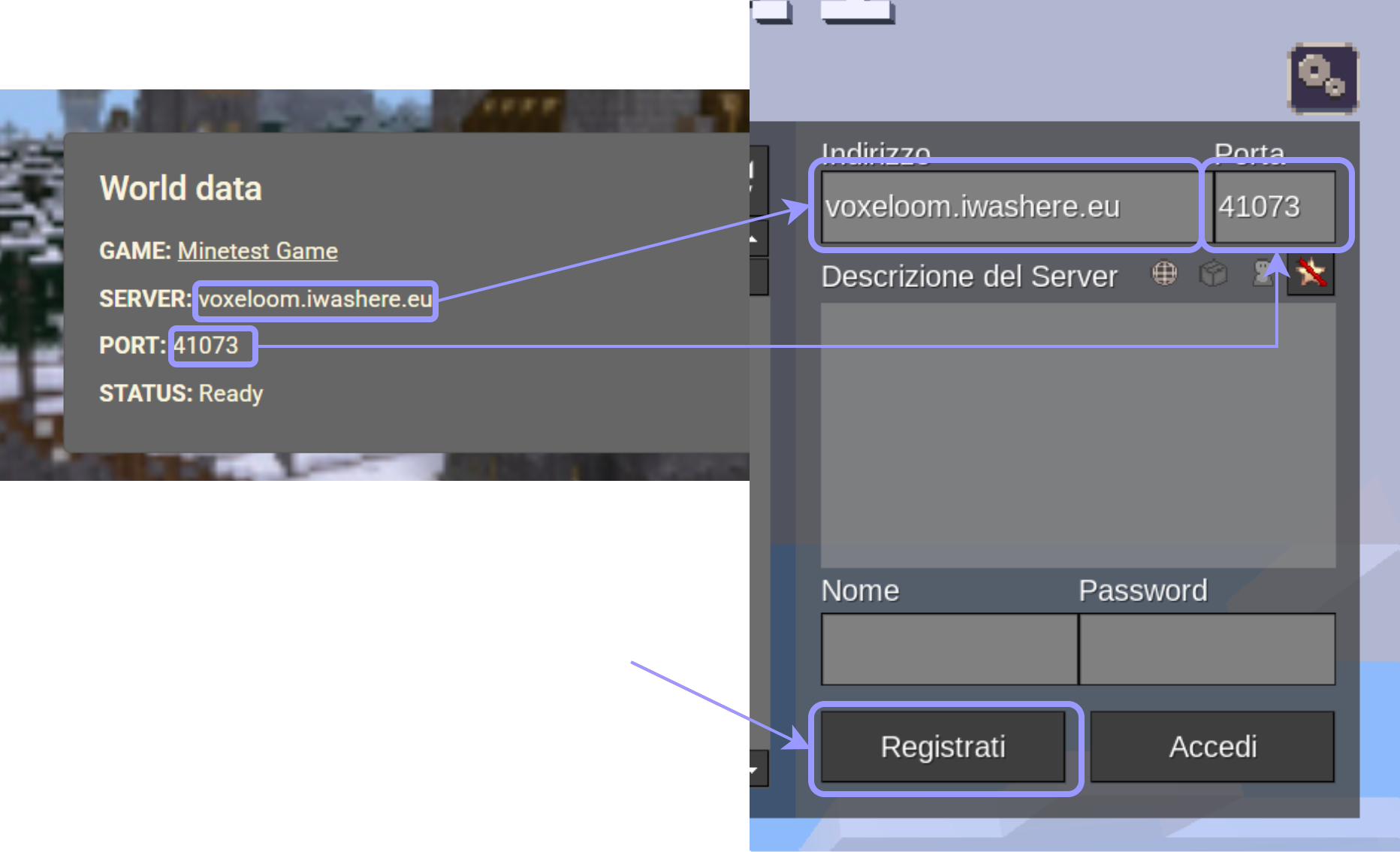
Visit frequently the world's page and, once the world is ready, you can join as its owner. To do so, you'll need
to enter the relevant information on the page directly into the Luanti App
dialog box. By clicking Register, you can enter your information (username
and password) and finally access the world!
Now, you can play alone or with your friends, in a multiplayer fashion.
Just send them the server name and the port number to JOIN
the world (those informations are visible only to you). The players must
not be registered with this website in order to play with your world. However,
you need to login to the website at least every 36 hours to maintain the
world alive. Otherwise, it will be deleted and the world will be available
for other players.

Voxeloom is a website that allows you to play multiplayer Luanti without having a dedicated server: Voxeloom takes care of everything!
Your contribution is the lifeblood of our infrastructure.
It allows us to pay for hosting, increase bandwidth, maintain
hardware, and ensure our servers are always up-to-date and secure.
 and help us provide even more
free servers for the global Luanti community.
and help us provide even more
free servers for the global Luanti community.
